In today’s fast-paced digital world, businesses are constantly seeking ways to enhance their customer relationships and streamline operations. Enter CRM systems – the secret weapon for businesses aiming to reach new heights of efficiency and customer satisfaction. But with so many options out there, how do you choose the right CRM for your business? Buckle up as we take you on a journey through the world of CRM and uncover the secrets to picking the perfect one!
Imagine a tool that not only helps you understand your customers better but also boosts your team’s productivity and drives sales growth. Sounds too good to be true? Well, that’s exactly what a well-chosen CRM can do for your business! Whether you’re a small startup or a large corporation, the right CRM system can transform your business operations and take your customer service to the next level.
Understanding CRM and Its Importance for Businesses
In the bustling arena of modern business, there’s a secret weapon that successful enterprises wield to stay ahead: Customer Relationship Management, or CRM. This tool isn’t just a software; it’s a strategy, a philosophy, and a game-changing asset.
At its core, a CRM system is designed to streamline the interactions between your business and its customers. By consolidating customer information and automating communication processes, CRM systems enable businesses to engage with their clients more effectively, leading to lasting relationships and increased profitability.
Core Functionalities of CRM Systems
CRM systems are built with several foundational features that empower businesses to harness the full potential of their customer interactions. These functionalities include:
- Contact Management: Store and manage customer information in a centralized database, making it accessible to all team members.
- Sales Management: Track and manage your sales pipeline to close deals with greater efficiency.
- Customer Support: Provide exceptional service with quick access to customer histories and automated service processes.
- Marketing Automation: Streamline marketing efforts with targeted campaigns based on customer data.
Enhancing Customer Relations
Imagine a world where each customer interaction is personalized and impactful. This is not a dream but a reality enabled by CRM systems. By leveraging CRM data, businesses can:
“Transform routine transactions into meaningful connections.”
For instance, a CRM can analyze customer purchasing patterns, allowing businesses to offer tailored promotions that resonate personally with each client. This kind of personalized experience not only boosts customer satisfaction but also increases loyalty and retention.
The Importance of CRM for Businesses of All Sizes
Whether you’re a burgeoning startup or a mammoth corporation, the importance of CRM cannot be overstated. For small businesses, a CRM system provides the structure and organization needed to grow efficiently without losing the personal touch that defines them. Large corporations, on the other hand, benefit from CRM’s ability to manage vast amounts of customer data, ensuring consistent experiences across all touchpoints.
| Business Size | CRM Benefits |
|---|---|
| Small | Cost-effective growth, Improved customer insights |
| Large | Scalable processes, Harmonized customer interactions |
Integrating CRM into Everyday Operations
Integrating a CRM system into daily business operations is akin to embedding a digital backbone that supports every business function. This integration allows for:
- Seamless Coordination: Sync with other tools to manage everything from emails to analytics in one place.
- Data-Driven Decision Making: Use real-time data to guide business strategies and decisions.
- Enhanced Productivity: Automate routine tasks, freeing up time for your team to focus on what truly matters: building relationships.
By incorporating CRM into the fabric of your business operations, you achieve not just efficiency, but also a culture that prioritizes the customer at every step.
Identifying Business Needs and CRM Requirements
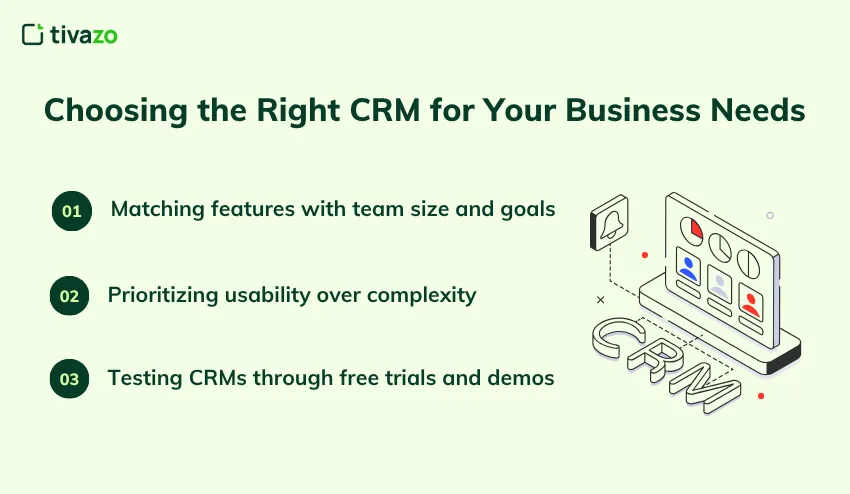
In the dynamic world of business, selecting the right CRM system is akin to finding the perfect partner. It requires understanding the unique needs of your organization to ensure seamless integration and maximum impact.
By conducting a thorough assessment of your business requirements and aligning them with CRM features, you pave the way for a more efficient and effective operational framework.
Assessing Specific Business Needs for CRM Solutions
Understanding what your business truly needs from a CRM is the cornerstone of making an informed decision. Begin by identifying the key objectives of adopting a CRM. Are you looking to streamline customer communication, improve sales tracking, or enhance data analytics? Having a clear picture of these goals will guide you toward the most suitable CRM solution.
Engage different departments in this process to gather a comprehensive view of the organization’s needs. This collaboration will help ensure that the CRM system supports everyone from sales and marketing to customer service and beyond.
Key Features Based on Business Size and Industry
Once you’ve artikeld your business needs, it’s time to align them with specific CRM features. Here’s a list to consider, categorized by business size and industry:
- Small Businesses: Easy-to-use interface, cost-effectiveness, basic analytics tools.
- Medium Businesses: Customizable dashboards, marketing automation, integration capabilities.
- Large Enterprises: Advanced data analytics, scalability, multi-channel support.
- Industry-Specific Needs: Regulatory compliance features, sector-specific modules.
Comparing CRM Features and Benefits
To aid in your decision-making process, here’s a comparison of different CRM features and their potential benefits for your business:
| Feature | Benefit |
|---|---|
| Contact Management | Improves customer relationship tracking and history management. |
| Sales Automation | Streamlines the sales process, increasing efficiency and productivity. |
| Customer Analytics | Offers insights into customer behavior and preferences. |
| Integration Capabilities | Ensures seamless operations by connecting with other business tools. |
Evaluating Current Business Processes
To maximize the potential of a CRM system, it’s crucial to evaluate your current business processes. This involves scrutinizing how things are done and identifying areas where a CRM could bring about significant improvements. Consider processes such as:
- Sales pipeline management and how a CRM can streamline lead tracking.
- Customer service workflows and the potential for increased responsiveness through automation.
- Data collection methods and how they can be enhanced with CRM analytics.
By understanding where you are now, you can better envision where a CRM can take you.
CRM Deployment Options
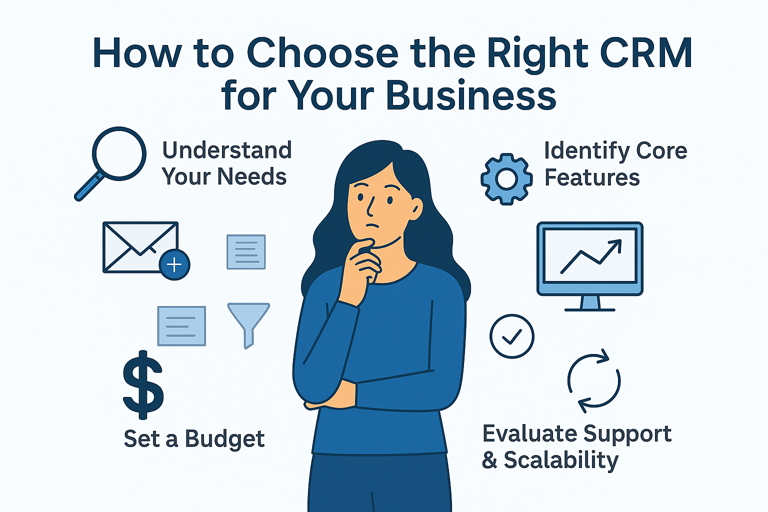
Choosing the right CRM deployment option can profoundly impact your business operations and strategy. Understanding the differences between cloud-based and on-premise solutions is essential to making an informed decision.
Each deployment model offers its unique set of benefits and challenges. In this section, we will explore these options, helping you decide which one aligns best with your business needs.
Cloud-Based CRM Solutions
Cloud-based CRM systems, also known as Software as a Service (SaaS), have become increasingly popular due to their flexibility and accessibility. With these solutions, data is stored on the provider’s servers and accessed via the internet, offering businesses the ability to work from anywhere.
Advantages: Cloud-based CRMs require minimal upfront investment, are easy to scale, and are maintained by the provider, saving you the hassle of updates and technical issues. Disadvantages: However, they often involve subscription fees, and businesses must trust providers with their data security.
For companies seeking agility and modern collaboration, cloud-based CRM is often the superior choice.
On-Premise CRM Solutions
On-premise CRM systems involve purchasing a license and hosting the software on the company’s own servers. This traditional approach gives businesses full control over their data and system configurations.
Advantages: On-premise solutions offer greater customization capabilities and data control. Disadvantages: They require a significant initial investment, regular maintenance, and a dedicated IT team for support and updates.
Businesses with strict data security policies may find on-premise CRM to be more reassuring.
Deployment Scenarios
When deciding between cloud-based and on-premise CRM solutions, consider specific business scenarios:
- Cloud-Based: Ideal for rapidly growing companies, remote teams, or those without a dedicated IT department.
- On-Premise: Suited for businesses in industries with stringent compliance requirements or those requiring extensive system customization.
Comparison Table
| Aspect | Cloud-Based CRM | On-Premise CRM |
|---|---|---|
| Cost | Subscription-based; lower upfront costs | Significant initial investment |
| Scalability | Highly scalable; pay-as-you-grow | Limited by hardware; costly upgrades |
| Maintenance | Provider managed; minimal involvement | Requires in-house IT support |
Evaluating CRM Software Vendors

Choosing the perfect CRM software vendor can be the difference between seamless business operations and a whirlwind of chaos. To ensure your business flourishes, it’s crucial to evaluate CRM vendors meticulously.
With the right evaluation strategy, you can pinpoint a vendor who aligns perfectly with your business goals and offers the support and features you need.
Criteria for Selecting a Reliable CRM Software Vendor
When selecting a CRM vendor, certain criteria stand out as non-negotiable. You want a vendor who not only understands your industry but also offers robust security features and customization options. Look for vendors who have:
- An established track record and positive customer testimonials.
- Scalable solutions that can grow with your business.
- Seamless integration capabilities with your existing systems.
- A strong emphasis on data security and privacy protocols.
Research and Shortlist Potential CRM Vendors
The market is brimming with CRM vendors, but not all offer what your business needs. Start by conducting thorough research to identify vendors that align with your specific business requirements. Use these strategies to narrow down your options:
- Utilize online reviews and industry reports to gauge vendor reputation.
- Attend industry conferences or webinars to discover the latest vendors.
- Request case studies and client references for in-depth insights.
Once you have a list, further refine it by comparing vendor offerings against your prioritized criteria.
Vendor Support and Service Offerings as Selection Factors
A CRM system is only as good as the support behind it. A vendor must offer comprehensive support to ensure smooth implementation and operation. Consider:
- The availability of 24/7 customer support.
- Training programs and onboarding assistance for your team.
- Access to a dedicated account manager for personalized assistance.
Evaluate the service level agreements (SLAs) to understand the level of service and support you can expect.
Vendor Evaluation Checklist
To streamline your evaluation process, use a checklist to ensure all critical aspects are covered. Here’s an example:
- Vendor’s industry experience and reputation.
- Product features and customization options.
- Integration capabilities with existing tools.
- Data security measures in place.
- Pricing structure and total cost of ownership.
- Trial period and refund policies.
- Customer support availability and quality.
- Training and implementation resources offered.
Use this checklist to compare vendors objectively and make an informed decision that aligns with your business vision.
Customization and Integration Capabilities of CRM Systems
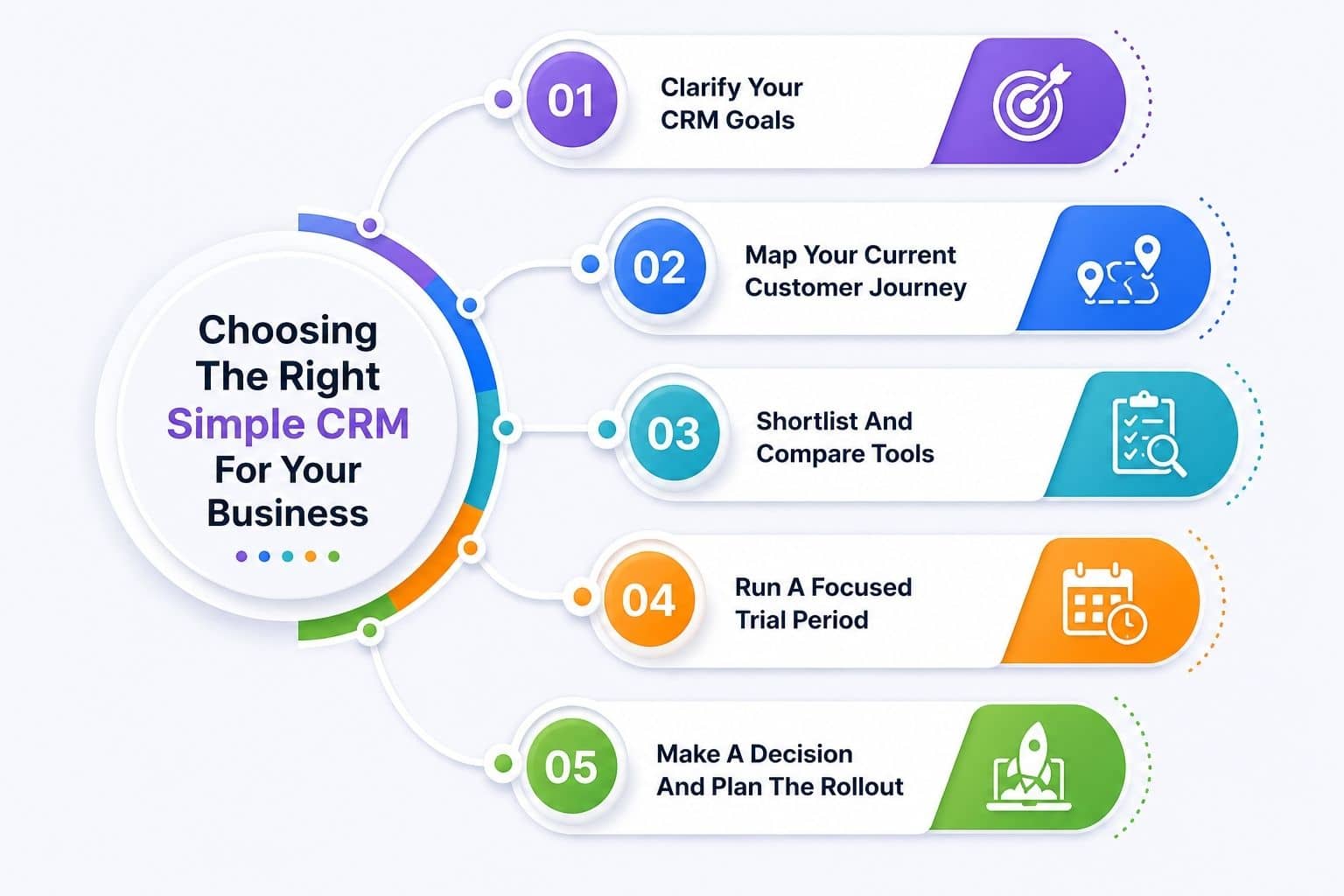
In the dynamic world of business, one-size-fits-all solutions often miss the mark. Enter customization and integration in CRM systems: the twin pillars that bolster a CRM’s value to your business. Your CRM should evolve with you, seamlessly interfacing with existing tools to streamline operations.
Customization is the key to unlocking a CRM’s full potential, allowing businesses to tailor the system to meet specific needs and maximize its utility. Meanwhile, integration capabilities ensure that the CRM works harmoniously with your current software ecosystem, bridging data silos and enhancing workflow efficiency.
The Power of Customization in CRM Systems
Customization allows businesses to adapt the CRM to their unique processes. Whether it’s setting up custom dashboards, automating specific workflows, or developing bespoke modules, a customizable CRM can evolve alongside your business. This flexibility not only improves user adoption but also ensures that the CRM grows with changing business needs, providing a personalized user experience.
Consider a sales team that needs unique reporting capabilities. A customizable CRM allows them to set up tailored reports that deliver insights specific to their sales cycles and strategies, thereby fostering data-driven decision-making.
Seamless Integration with Existing Tools
A CRM system that integrates effortlessly with existing business applications is indispensable. Integration capabilities transform your CRM from a standalone tool into a cohesive part of your business operations. This means connecting with email platforms, marketing automation tools, accounting software, and beyond.
For instance, integrating your CRM with an email platform can automate lead nurturing campaigns, track customer interactions, and provide insights directly within the CRM dashboard. Such integrations not only enhance efficiency but also ensure that information flows freely across systems, minimizing manual data entry and reducing errors.
Successful CRM Integrations with Business Systems
Examples of successful CRM integrations abound. Take, for example, a retail company that integrates its CRM with an e-commerce platform. This integration allows for real-time inventory updates, personalized customer experiences, and better-targeted marketing efforts.
Similarly, a service-based company might integrate their CRM with a project management tool, enabling seamless tracking of customer projects, deadlines, and resource allocation. This not only enhances team collaboration but also ensures clients stay informed and satisfied.
Potential Integration Partners and Their Benefits
To help visualize the possibilities, here’s a table showcasing potential CRM integration partners and the benefits they offer:
| Integration Partner | Benefits |
|---|---|
| Mailchimp | Automate email campaigns, track engagement, and sync subscriber data. |
| QuickBooks | Streamline billing processes, track financial performance, and manage expenses. |
| Slack | Enhance team collaboration, facilitate real-time communication, and share CRM data in channels. |
| Shopify | Sync product and customer data, track sales, and analyze e-commerce performance. |
Integrating your CRM with these partners can transform your business operations, driving efficiency and performance.
Measuring Success and ROI of CRM Implementation
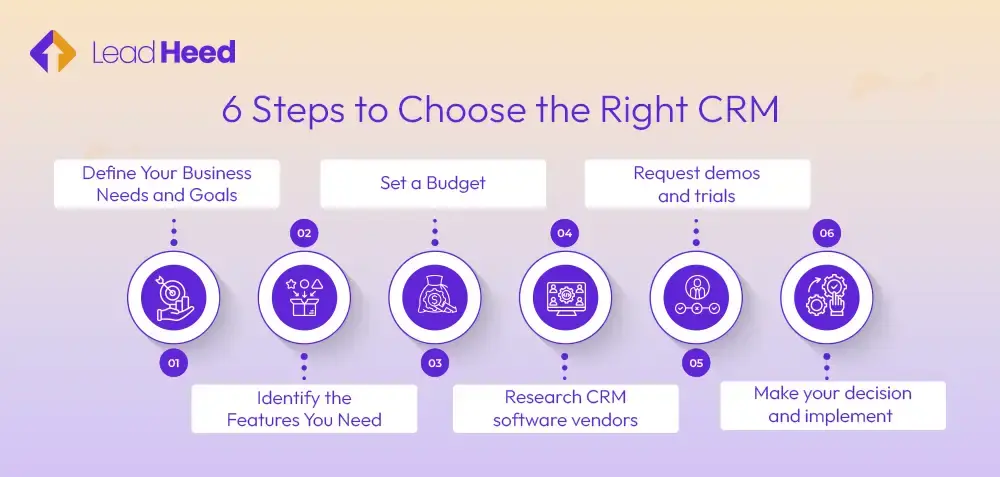
Implementing a CRM system is a significant investment, and measuring its success is crucial to ensure the company reaps the benefits it deserves. By identifying key performance metrics and calculating the return on investment, businesses can gauge the effectiveness of their CRM strategy.
Embarking on this journey requires a strategic approach to not only recognize the gains but also foster continuous improvement post-deployment.
Key Performance Metrics for Evaluating CRM Success
Pinpointing the right metrics is a game-changer when it comes to assessing CRM success. These metrics offer a window into how effectively the system is supporting business goals:
- Customer Retention Rate
- Sales Conversion Rate
- Customer Satisfaction Score (CSAT)
- Net Promoter Score (NPS)
- Average Sales Cycle Length
- Customer Lifetime Value (CLV)
- Operational Efficiency
Calculating the ROI of CRM Adoption
Understanding the ROI of CRM adoption is akin to unearthing a treasure map—illuminating paths to increased profitability and efficiency. Businesses need to weigh the financial benefits against the costs incurred:
Start by calculating the total benefits, including increases in sales revenue, improvements in customer retention, and reductions in operational costs. Then, subtract the total costs, such as software acquisition, maintenance, and training expenses.
“A comprehensive ROI analysis not only justifies the investment but also empowers businesses to optimize resource allocation and strategic planning.”
Continuous Improvement Process Post-CRM Implementation
In the dynamic world of CRM, resting on laurels isn’t an option. Continuous improvement is the heartbeat of sustained success. Companies must establish feedback loops, conduct regular performance reviews, and be agile in adapting to evolving business needs.
Investing in training sessions and leveraging customer feedback can help refine CRM processes, ensuring they align with both current challenges and future aspirations.
Sample Table of Performance Indicators Used in CRM Analysis
To give you a tangible grasp of how these metrics play out, here’s a sample table outlining common performance indicators and their implications:
| Performance Indicator | Definition | Implication |
|---|---|---|
| Customer Retention Rate | The percentage of existing customers retained over a specific period | High retention indicates customer loyalty and satisfaction |
| Sales Conversion Rate | The ratio of leads converted into sales | Higher rates suggest effective sales processes and CRM usage |
| Customer Satisfaction Score (CSAT) | A measure of customer satisfaction with a product/service | Improving scores reflect positive customer experiences |
| Net Promoter Score (NPS) | Measures customer loyalty based on their willingness to recommend the company | Higher scores are indicative of strong brand advocacy |
Closure

Choosing the right CRM for your business is more than just a decision; it’s a strategic move towards sustainable growth and enhanced customer satisfaction. As you explore the myriad of options available, remember that the perfect CRM is one that aligns seamlessly with your business needs and goals. So, embark on this journey equipped with the knowledge and insights shared here, and make an informed choice that propels your business forward. Ready to revolutionize your business operations? The right CRM is waiting for you!